CAH 206: Computer Application in HealthCare II
This is a second level module requiring prior knowledge of Introduction to computers in Healthcare. The module consists of 6 units and covers a total of 60 hours (6 credits).



This is a second level module requiring prior knowledge of Introduction to computers in Healthcare. The module consists of 6 units and covers a total of 60 hours (6 credits).
Instructions: Clicking on the section name will show / hide the section.
 Module Competency
This module aims at enabling the learner to install computer hardware, carry out basic maintenance and use appropriate computer applications in communication and management of health records.
This is a first year second semester module designed to introduce learners on how to install computer hardware, carry out basic maintenance and use appropriate
computer applications in communication and management of health records.
6. Browse the internet and communicate by emails
The lecturers taking you through this module is Nipher Nganga email address nnganga@kmtc.ac.ke phone number 0724064706 . However, if you have a technical problem relating to interacting with the platform, you can write an email to elearning@kmtc.ac.ke. Someone will respond to you as soon as possible.
Performance Tasks(i) Main Tasks that comprise of quizzes and written assignment
(ii) Sub tasks that comprise group discussion and clinical logs.
a) IntroductionThis unit introduces you to the basics of computer connection and maintenance of the hardware parts in use. |
|
|
|
|
|
b) Unit Objectives
By the end of this unit, you will have achieved the following objectives;
2. Start a computer and 3. Maintain the parts. |
 |
|
|
|
|
c) Unit Learning Requirements
|
 |
|
|
|
|
a) Review Questions/Unit Activity work practically on how to connect a computer do understand different ports |
 |
|
|
|
|
b) Performance Tasks (i) Main Tasks [The lecturer will provided further instructions on this in addition to the provided tools below...](ii) Sub -Tasks [Discussion forum tool and chat tool below will be used for carrying out group work..] |
 |
|
|
|
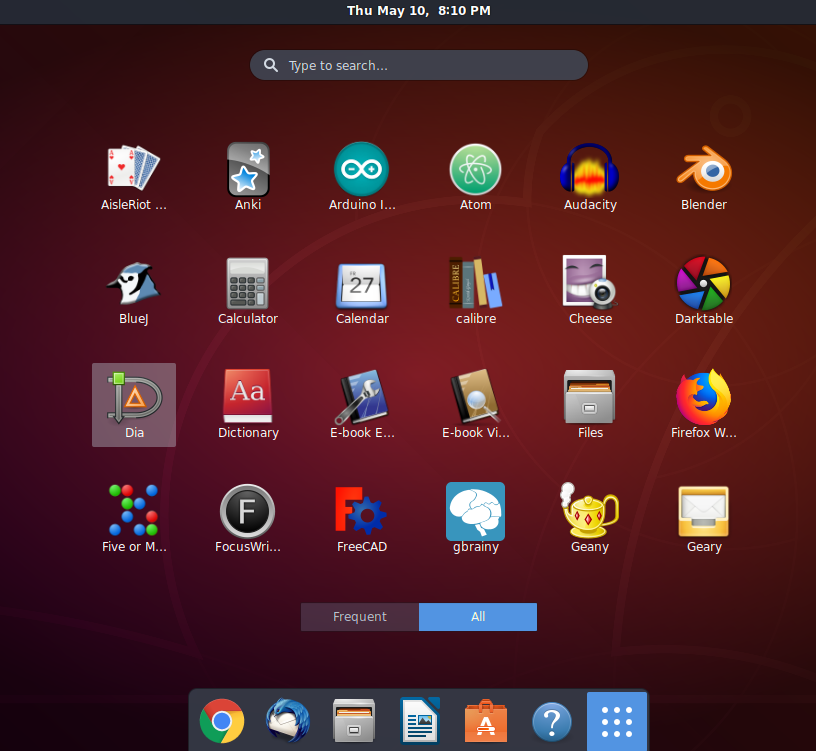
a) IntroductionThis unit gives an overview of application software and how they are used. |
 |
|
|
|
|
b) Unit Objectives
By the end of this unit, the learner shall be able to: Understand the application software and how they are used. |
 |
|
|
|
|
c) Unit Learning Requirements
|
 |
|
|
|
a) Review QuestionsLook for more information on Application Packages |
 fab fa-twitter-square fab fa-twitter-square |
|
|
|
|
b) Performance Tasks (i) Main Tasks [The lecturer will provided further instructions on this in addition to the provided tools below...](ii) Sub -Tasks [Discussion forum tool and chat tool below will be used for carrying out group work..] |
 |
|
|
|
a) IntroductionThe Word application from Microsoft lets you create, read, edit, and share
your files quickly and easily. |
|
|
|
|
|
b) Unit Objectives
By the end of this unit, you will have achieved the following objectives; To get skills on how o create and edit/manipulate a document |
 |
|
|
|
|
c) Unit Learning Requirements
|
 |
|
|
|
a) Review QuestionsPractice it practically |
 |
|
|
|
|
b) Performance Tasks (i) Main Tasks [The lecturer will provided further instructions on this in addition to the provided tools below...](ii) Sub -Tasks [Discussion forum tool and chat tool below will be used for carrying out group work..] |
 |
|
|
|
a) IntroductionThis unit will equip the learner with data entry and analysis skills. |
|
|
|
|
|
b) Unit Objectives
By the end of this unit, you shall be able to; Use a data analysis tool-Ms Excel to carry out simple data analysis. |
 |
|
|
|
|
c) Unit Learning Requirements
|
 |
|
|
|
a) Review QuestionsRead and practice microsoft excel |
 |
|
|
|
|
b) Performance Tasks (i) Main Tasks [The lecturer will provided further instructions on this in addition to the provided tools below...](ii) Sub -Tasks [Discussion forum tool and chat tool below will be used for carrying out group work..] |
 |
|
|
|
a) IntroductionThis unit is meant to equip the learner with skills of using a presentation software to create a graphical presentation of data. |
 |
|
|
|
|
b) Unit Objectives
By the end of this unit, the learner shall be able to;
|  |
|
|
|
|
c) Unit Learning Requirements
|
 |
|
|
|
a) Review Questions
|
 |
|
|
|
|
b) Performance Tasks (i) Main Tasks [The lecturer will provided further instructions on this in addition to the provided tools below...](ii) Sub -Tasks [Discussion forum tool and chat tool below will be used for carrying out group work..] |
 |
|
|
|
a) IntroductionThis unit will introduce the learner to how the internet works, browsing the internet and communicating using an email |
 |
|
|
|
|
b) Unit Objectives
By the end of this unit, you will have achieved the following objectives; To get knowledge on how to use the internet |
 |
|
|
|
|
c) Unit Learning Requirements
|
 |
|
|
|
a) Review QuestionsRead more and practice to understand Internet and Email
|
 |
|
|
|
|
b) Performance Tasks (i) Main Tasks [The lecturer will provided further instructions on this in addition to the provided tools below...](ii) Sub -Tasks [Discussion forum tool and chat tool below will be used for carrying out group work..] |
 |
|
|
|